
Registration and sign-in
Sign up with your email or another sign-in option, then create an API key.
Ways to sign up
Sign up with email
Open https://www.tokenreply.com, select Sign Up and fill in:
- Email: you sign in with it, and codes and reset links go there
- Password: at least 8 characters, with at least two of these: uppercase, lowercase, numbers, special characters
- Verification code: the code we email you
Sign in with another account
The sign-up page shows the options that are turned on, such as:
- GitHub
- Discord
- Other OIDC or OAuth providers
Your first sign-in this way creates your account. Add an email address in Settings so you can reset your password later.
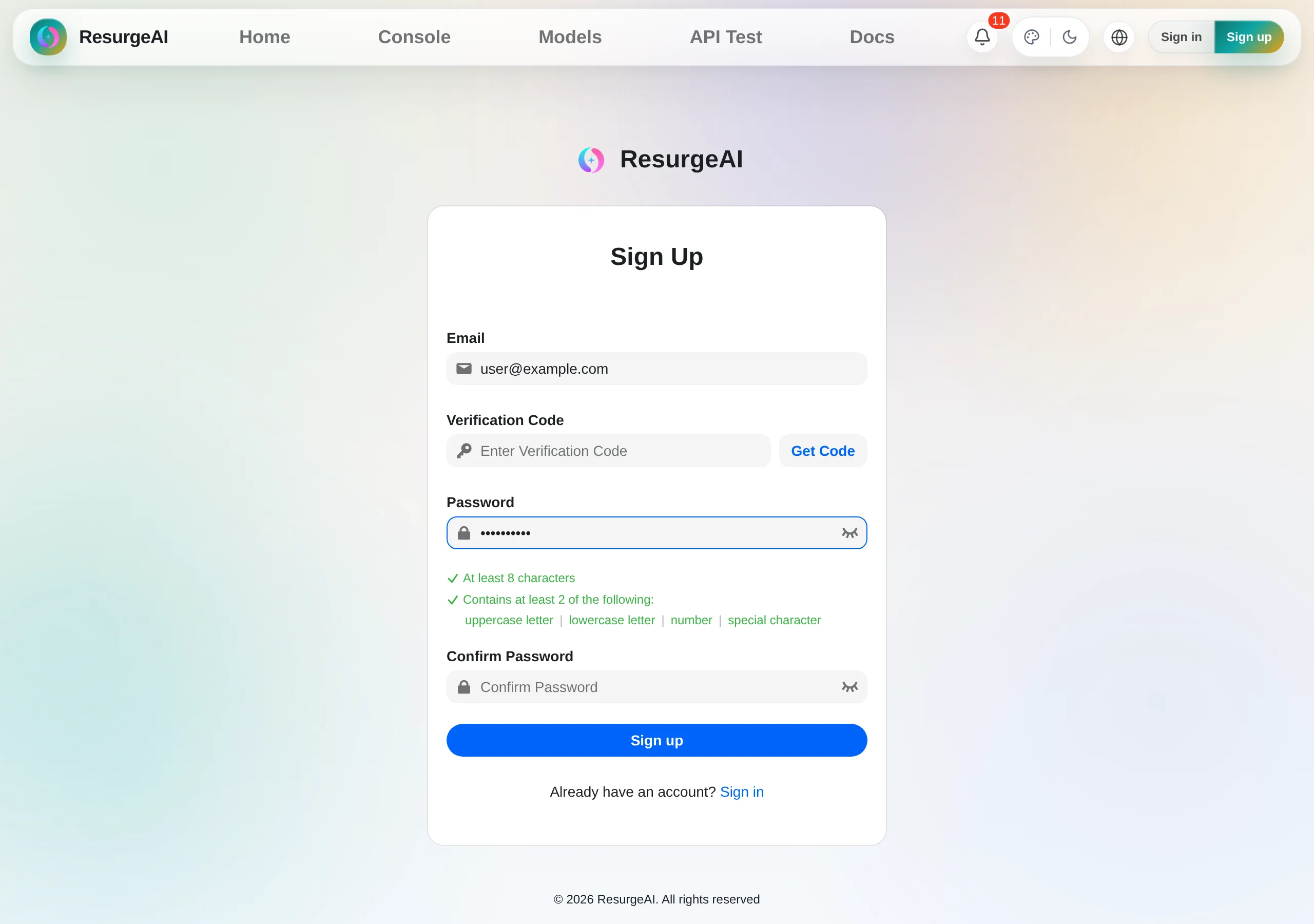
Email verification
- Enter your email address and select “Get Code”
- Find the 6-digit code in your inbox (or spam folder)
- Enter the code and create your account
If the code doesn't arrive
Check your spam folder and the address you typed, then send it again after 1 to 2 minutes.
Referral codes
Sign up through a friend’s referral link and they're recorded as your referrer. If you signed up without it, you can still add their code in the console for a short time afterwards. Referral rewards explains what you both get.
After you sign up
New accounts start on a one-month Trial with a starter usage allowance you can spend right away. After that month, your account moves to Default. Plans and tiers compares them.
Reset your password
Select “Forgot password?” on the sign-in page and we’ll email you a link to set a new one. If the link has expired, request another.
Next steps
- Create your first key in API key management
- See what your tier includes in Plans and tiers
- Check your spending and add funds in Billing and balance